Social Media Agency Framer Templates (2026)
Comparing Framer templates for social media agencies: what each one is good at, what it costs, and how to choose the right one for your agency.





A social media agency sells results it can’t hand over in a box, so its website has to do a lot of the selling: show the work, explain the services, make pricing feel safe, and get the visitor onto a call. Framer is a good fit for this because you can launch fast and keep editing without a developer. Here are the Framer templates worth a look if you run a social media agency, and how to pick between them.
Key takeaways
Your site has to sell results, so lead with case studies that show real numbers.
Show your services, and either pricing or an easy way to book a call.
Hypecraft ($49) has pricing, case studies and a CMS blog built in. Looped and Viral are free options.
Editing in Framer is free, but publishing on your own domain needs a paid Framer site plan.
What a social media agency site needs
Proof first. Case studies with real numbers (reach, leads, sales) beat a grid of pretty logos.
Clear services. Paid social, content, community management, influencer campaigns: say what you do and for whom.
Pricing or a clear next step. Either show packages or make booking a call effortless.
Answers to objections. Contracts, reporting, how fast results come: a short FAQ saves you sales calls.
A blog or CMS. It lets you rank for the questions your clients search.
The templates
1. Hypecraft by WORKSHOP99 ($49)
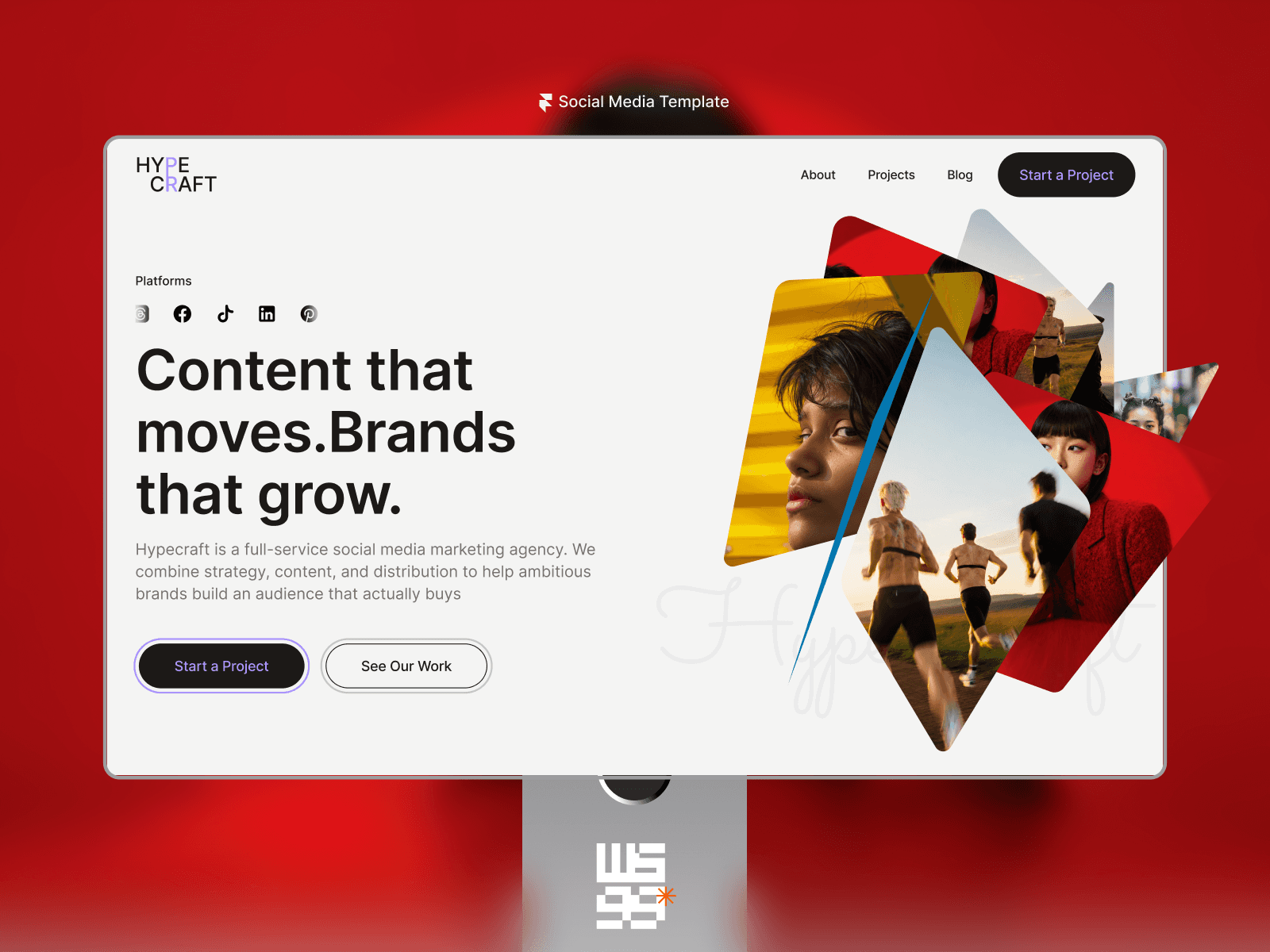
Hypecraft is built specifically for social media agencies and creative studios that want the site to book calls. It’s our own template, so weigh that, but here’s what’s in it: a problem-aware hero, service breakdowns, CMS-powered case studies with video and headline metrics, a pricing table with a monthly/yearly toggle, a “why us” comparison, testimonials and an FAQ. It’s multi-page (Home, Portfolio, About, Blog, Contact and a 404), fully responsive, and includes a CMS blog.
Best for: agencies that want pricing and proof on the page, not just a portfolio.
2. Looped by TemplateX (free)
Looped is a free social media agency template on the Framer Marketplace, aimed at social media agencies, digital marketing firms and creative studios. It’s modern, with bold typography, fully responsive and easy to customise.
Best for: new agencies that want to get online at no cost and add depth later.
3. Viral by Hamza Ehsan (free)
Viral is a free Framer template for social media agencies that “want to look credible and attract leads”. It has eight designed pages and is set up for SEO and mobile.
Best for: agencies that want a larger multi-page site out of the box.
How to choose
Just starting and budget is tight? Start with a free template like Looped and upgrade when clients start comparing you to bigger agencies.
Selling retainers? Pick a template with a pricing table and case studies built in, like Hypecraft, so the site answers “how much” and “does it work” before the call.
Plan to publish content? Make sure the template has a CMS blog, so every post can bring in search traffic.
Before you publish
Whatever you pick, swap every placeholder for your real work, real results and real testimonials. Add one clear call to action per page. Editing in Framer is free, but publishing on your own domain needs a paid Framer site plan.
Want help choosing? Our template finder asks three questions and points you to the template that fits your business, or email hello@workshop99.agency.
FAQ
What should a social media agency website include? Results first (numbers and client logos), clear services or packages, case studies, and one obvious way to book a call. Pricing or starting prices help filter out bad-fit leads.
Is a free template good enough for an agency? It can be for a new agency. Once you’re pitching larger retainers, a site with proper case studies and service pages usually pays for itself.
Do I need to know how to code? No. You edit text, images and CMS items in Framer much like a slide deck, and publish with one click.
Do I need a paid Framer plan? You can build and publish on Framer’s free plan with a framer.website address. To use your own domain you need a paid site plan: Basic is $10 a month and Pro is $30 a month, billed yearly.
How do WORKSHOP99 templates work? You pay once on workshop99.agency, get the template in your own Framer account and edit it there. There’s no subscription from us.

More Blogs
Ideas and inspiration for creators
Our blog covers everything from website strategy to design best practices, keeping you ahead.