Best Framer Portfolio Templates (2026): Free and Premium Compared
Six Framer portfolio templates compared by pages, CMS and who they suit, from a free one-page portfolio to full studio sites with case studies.





A portfolio has one job: get the right person to say "I want to work with you". The template you start from decides how easily you can do that. Some are built for one strong page. Others are built for a studio with dozens of case studies.
Here are six Framer portfolio templates from WORKSHOP99, compared by what they include and who they suit, so you can pick the right starting point the first time.
Key takeaways
Need one page you can finish this weekend? Ruvelo is free.
Need case studies and a blog for free? Elvora is a full multi-page site with CMS.
Photographers should start with Optic Studio ($49), which is built around projects and imagery.
Studios that want a premium feel should look at Monarc ($99) or Blank Space ($49).
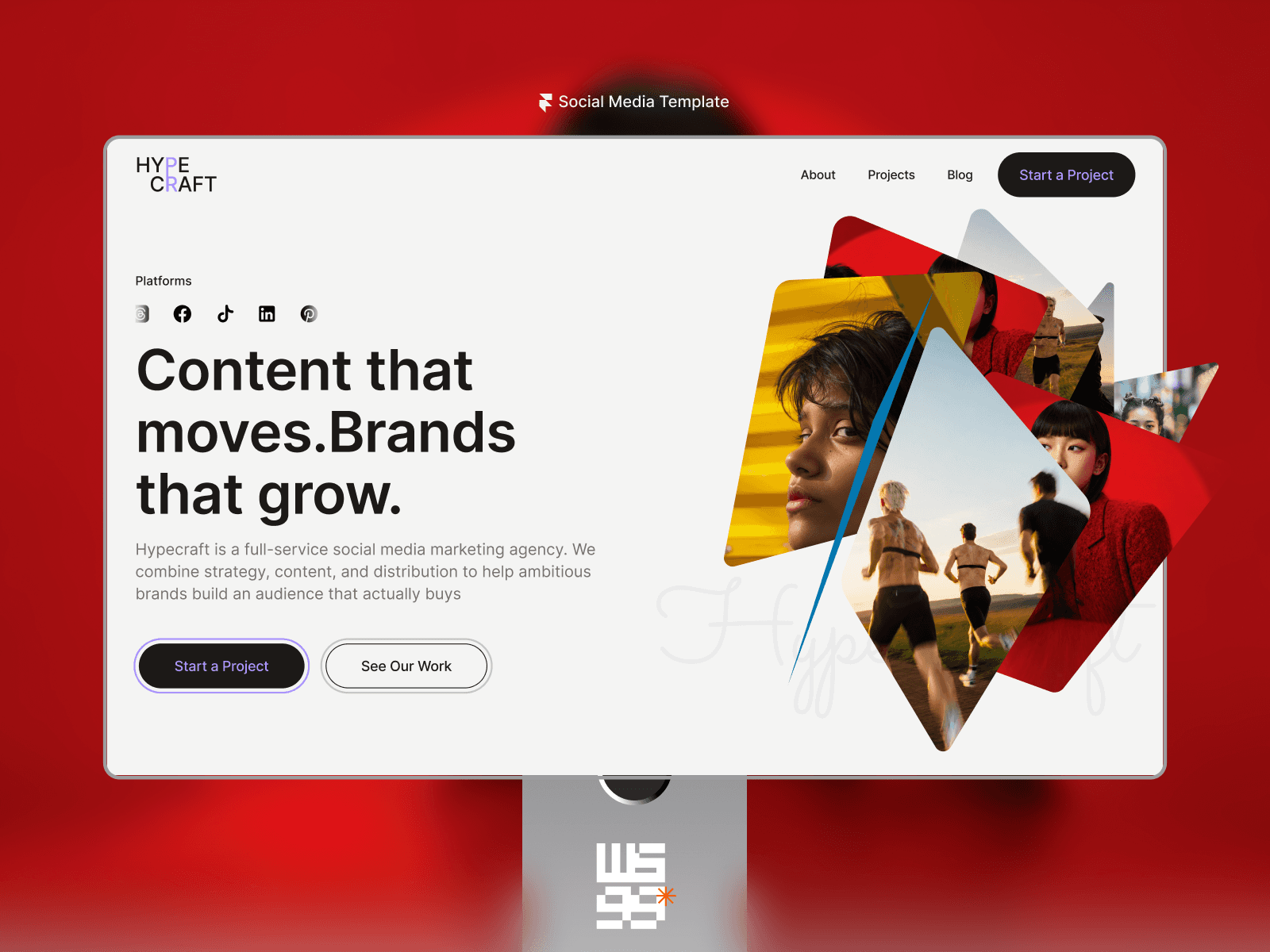
Social media and content agencies have their own option: Hypecraft ($49).
One page or multi-page?
Decide this first, because it rules out half the options.
A one-page portfolio works when you have three to six strong pieces of work and want a single link to share. It's quick to build and easy to keep up to date.
A multi-page portfolio works when each project deserves a full case study, when you want a blog, or when you're presenting a studio rather than one person. Look for templates where projects and posts are CMS collections, so adding one is a form, not a redesign.
The templates
1. Ruvelo (free)
A sleek, minimalist one-page portfolio that puts your visuals front and centre.
Pages: Home, 404
Best for: freelance designers, UI/UX and product designers, web designers and developers, creative directors, anyone building a personal brand
2. Elvora (free)
A bold, conversion-focused agency and portfolio site with a full CMS.
Pages: Home, About us, Contact us, Projects (CMS), Project details (CMS), Blog (CMS), Blog details (CMS), Legal (CMS), 404
Best for: small agencies, design studios, web and UI/UX teams and independent creatives who want case studies from day one
3. Optic Studio ($49)
A refined photography template built to showcase work beautifully and launch quickly.
Pages: Home, About us, Contact us, Projects (CMS), Project details (CMS), Blog (CMS), Blog details (CMS), Legal (CMS), 404
Best for: professional, wedding, event, fashion, editorial, portrait and lifestyle photographers, and photography studios
4. Monarc ($99)
An elegant studio template with premium visuals for portfolios, services and expertise.
Pages: Home, About us, Contact us, Projects (CMS), Project details (CMS), Blog (CMS), Blog details (CMS), Legal (CMS), 404
Best for: design agencies, independent and branding studios, freelance designers and art directors who want a premium portfolio
5. Blank Space ($49)
Bold visuals and expressive layouts for studios with a distinctive identity.
Pages: Home, About us, Contact us, Projects (CMS), Project details (CMS), Articles (CMS), Article details (CMS), Legal (CMS), 404
Best for: independent design studios, branding and identity studios, UI/UX and web studios
6. Hypecraft ($49)
Immersive visuals and conversion-focused layouts for social-first agencies.
Pages: Home, About us, Contact us, Projects (CMS), Project details (CMS), Blog (CMS), Blog details (CMS), Legal (CMS), 404
Best for: social media and influencer marketing agencies, content and campaign studios, independent social media strategists
What every portfolio template should give you
All six templates share the same foundation:
No coding required
Responsive layouts for desktop, tablet and mobile
Built entirely in Framer, with no plugins
Global styles, so changing your colours and fonts updates every page
Smooth animations and an SEO-ready structure
Whatever template you choose, the work matters more than the layout. Upwork reports that freelancers who publish a portfolio are hired nine times more often than those who don't (Upwork). A finished, simple portfolio beats a beautiful one you never publish.
What to put in your portfolio
A one-line positioning statement: who you help and what you do.
Three to six of your best projects, not everything you've ever made.
A short story for each: the problem, what you did, the result.
Proof: real client names, real reviews (with permission) and real results.
One clear way to contact you.
For a full walkthrough, read our guide to building a freelance portfolio that gets you hired.
How to choose
If you are… | Start with | Price |
|---|---|---|
A freelancer who needs one strong page | Free | |
A small studio that wants case studies and a blog | Free | |
A photographer | $49 | |
A studio with a bold, expressive brand | $49 | |
A social media or content agency | $49 | |
A design studio going for a premium feel | $99 |
If you think you'll use more than one, All Access gives you every WORKSHOP99 template for a one-time $150. See everything on the templates page.
FAQ
Is there a free Framer portfolio template?
Yes. Ruvelo is a free one-page portfolio, and Elvora is a free multi-page agency and portfolio site with a CMS.
Can I add more projects later?
On templates with a Projects CMS (Elvora, Optic Studio, Monarc, Blank Space and Hypecraft), adding a project means filling in a CMS item. On Ruvelo, you duplicate a section on the page.
Do I need to code?
No. All of these templates are built entirely in Framer and edited visually.
Which template is best for UX designers?
Ruvelo if you want one page, Elvora or Monarc if you want full case study pages for each project.
Can I use my own domain?
Yes. Connect your domain through a paid Framer site plan. On Framer's free plan, the site publishes to a framer.website address.

More Blogs
Ideas and inspiration for creators
Our blog covers everything from website strategy to design best practices, keeping you ahead.